SEPA Secure - No-Invoice integration#
Data and Integration flows#
Data flow
- Request KYC for a customer
- Wait for KYC callback or poll KYC status.
- Create bank account if the KYC is successful.
- Wait for account callback or poll account data.
- Polling should be done on the same API as creation.
Integration flow
- Request KYC for a customer
- Display the URL to the customer
- Customer passes the KYC
- On success or failure - redirection to a merchant page
- KYC status is available via callback or polling
- If the KYC is
FULL_USER- create a bank account - Bank account status is available via callback or polling
- Display the bank account on the merchant page
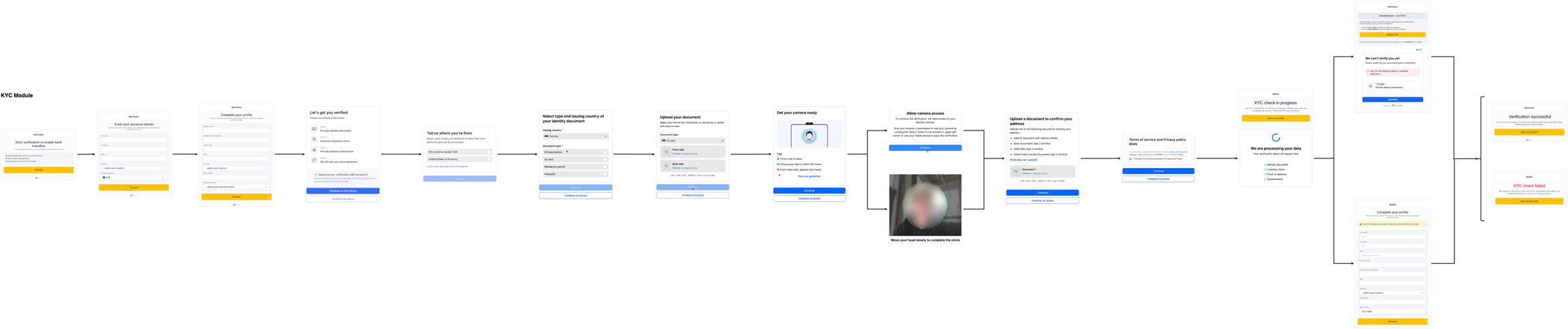
Customer flow#
Customer flow on XGW includes only KYC-related pages.
APIs overview#
Request KYC for a customer - cURL
Replace <customer-id> with the real value, and <your-api-key> placeholder with your demo API key to execute it
curl --location 'https://api.xgateway.tech/api/v2/customer/<customer_id>/bank-transfer/kyc/initiate' \
--header 'Accept: application/json' \
--header 'x-api-key: <your-api-key>' \
--header 'Content-Type: application/json' \
--data '{
    "locale": "en"
}'